

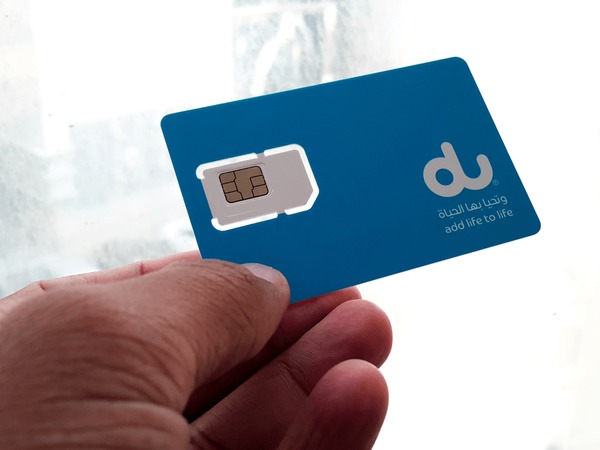
If you live in the UAE or are visiting and using a Du SIM, one of the first things you should do is learn how to check your Du number. This tutorial will show you the simplest way to get your Du sim number, whether you’ve lost it or want to double-check it quickly. There will be no misunderstanding or extra processes.
Du is one of the top telecom companies in the UAE, providing mobile, broadband, and business solutions to millions of people. But even people who have been using it for a long time sometimes forget their own number. This guide has all the best and easiest ways how to check Du sim number right away.
What Is a Du Number?
The number that people call or text you on your SIM card is your Du number. Numbers in the UAE are 8 digits long and typically start with specific numbers, such as 50, 55, 52, and others, depending on the plan or SIM type.
Why does it matter?
Because it’s essential for:
- Sharing contacts with others
- Registering on apps and services
- Activating WhatsApp, banking apps, and security codes
Now, let’s look at how to check it.
How to Check Du Number via USSD Code
Using a USSD code is one of the fastest ways to check your Du number. This method works for all Du prepaid and postpaid SIMs, even those without internet.
Here’s what to do:
- Open your phone dialer
- Enter: *116#
- Press Call
Within seconds, your Du number will pop up on the screen.
How to Check Du Number from the Du App
If you have internet access, the Du App gives you the fastest and most reliable way:
- Download the Du App from the App Store or Google Play
- Log in using your Du credentials.
- On the Dashboard, your mobile number will be displayed clearly.
Why this method is great:
- It shows your number instantly
- It provides account balance, data, and plan info as well.
- Works even if you forget your SIM
How to Find Your Du Number in Phone Settings
Most smartphones automatically show the SIM number in settings.
For iPhone:
- Go to Settings
- Tap Phone
- Scroll to My Number
For Android:
- Go to Settings
- Tap About Phone
- Select Status
- Tap SIM Status
- Your Du number will appear.
This method is especially useful if you don’t want to dial any codes or install apps.
How to Verify DU Number Ownership
The easiest method to confirm ownership of a DU number is to log in to the DU App or call DU customer care. Once your identity has been verified, you can validate the registered account details, such as the account holder’s name.
You can also visit a DU store with a valid Emirates ID or passport to confirm SIM ownership and make sure the number is registered to an authorized person.
How to Get a Du Number from WhatsApp
If you already use WhatsApp on your Du number, you can check it now in the app:
- Open WhatsApp
- Go to Settings
- Tap your profile photo or name.
- Your Du number will appear under your profile.
How to Check a Du Number by Calling Another Phone
If all else fails or you need a super-fast way,
- Use your Du SIM to call a friend’s phone
- Check the caller ID on their device.
Easy, simple, and immediate, perfect if you don’t have internet or smartphone menus nearby.
How to Check a Du Number Using Customer Care
Du customer support can read your number for you if you’re willing to verify your identity.
📞 Call Du UAE customer care:
- From your Du number: 155
- From any phone: 800 155
Follow the instructions on the IVR or ask to speak with an agent. They will give you your Du number after they check your identity.
How to Check Your Du Number from Your SIM Card Packaging
When you first buy your Du SIM, the number is usually printed on the package or card holder.
Look for:
✔ A sticker with the 8-digit number
✔ “MSISDN” label (this stands for Mobile Subscriber Integrated Services Digital Number)
This is one of the oldest but most reliable ways especially if your SIM has never been activated.
How Can I Check My DU SIM Number?
Check the DU SIM number is quick and straightforward. Forgot your cellphone number or bought a new SIM card recently? Or need it for account verification? DU offers a few simple options to discover it.
Most Usual Way
Dial *116# : DU number will be displayed on your screen
You may also see your number in the DU App, in your phone settings, on your WhatsApp profile or by calling another phone and checking the caller ID. If not any of these are an option, you may contact DU customer support to get your number after validating your identification.
Even if you are a UAE resident or a visitor with a DU SIM card, these ways will help you to easily get your mobile number anytime you need it.
Du Number for Residents and Tourists
All Du SIMs work the same way, whether you live in the UAE or are just visiting. The above approaches work the same way. So, even if you’re just here for a short time and forget your number, there are still a lot of ways to find it quickly.
Final Thoughts
It doesn’t have to be hard or take a long time to learn how to check Du sim number. You can use the USSD code, the Du App, your phone’s settings, or call someone to get help in any situation.
These methods will make sure you always know your number right away, whether you’re setting up a new SIM, activating apps, or giving it to friends.
Do you have a Du number that you recently found? Fantastic! You can now easily stay connected in the UAE.